Reaction Picker Animation in Flutter
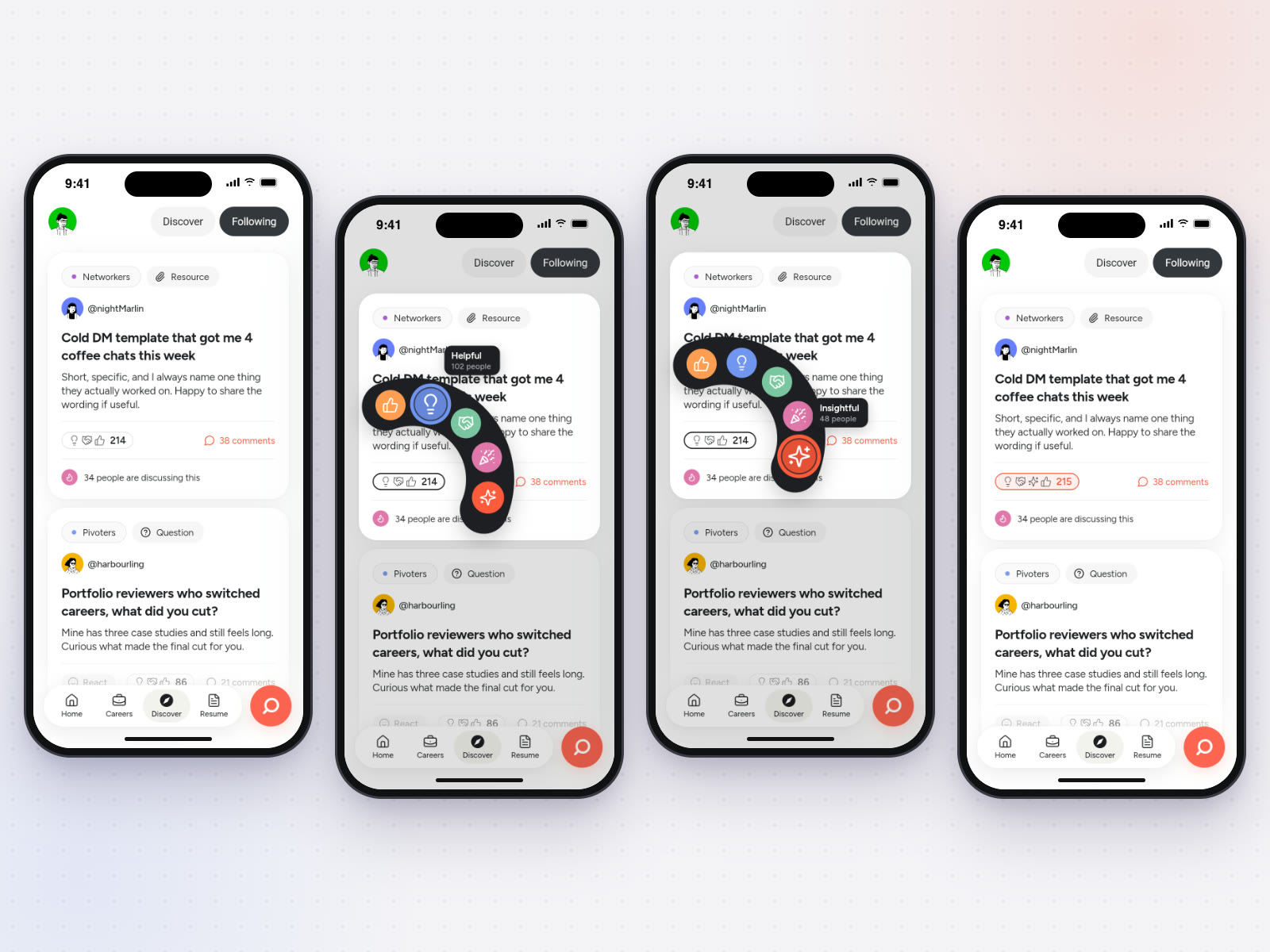
A community feed with a long-press reaction picker in Flutter: an arc of reactions, slide to choose, and the reaction flies into the pill with a rolling count.
- #Animation
- #Reactions
- #Long Press
- #Gestures
- #Liquid Glass
- #Social Feed
The full source code is in the Flutter Source Club · $9/month.
Overview
This Flutter project recreates a playful reaction picker for a community feed. Instead of a plain row of emoji, the reactions open as a dark arc around your finger, and every step of picking a reaction has its own small animation. How it works Long-press the reactions pill under a post. The pill gets a dark outline, the rest of the screen dims except the card you are reacting to, and an arc of five reactions grows out from the pill one bubble at a time: Agree, Helpful, Support, Congrats and Insightful. Keep your finger down and slide along the arc. The reaction under your finger scales up with a ring around it, and a small tooltip shows its name and how many people chose it, for example "Helpful · 102 people". The phone gives a light haptic tick every time you pass a new reaction. Let go on a reaction and the arc folds back while your reaction flies into the pill. The pill flashes coral, wobbles a little, the count rolls from 214 to 215 digit by digit, and a small +1 floats up and fades. Your reaction joins the icons on the pill. Tap the pill again to take your reaction back. The picker also works with taps: tap the pill to open the arc, then tap a reaction, or tap outside to close it. More details in the feed The header is pinned to the top. As you scroll it turns to frosted glass and gets a little tighter. The bottom tab bar is built in the iOS 26 Liquid Glass style with a small fragment shader that bends the content behind it, a lens you can drag between tabs, and it shrinks while you scroll down. How it is built The project uses plain Flutter with no third-party packages. The arc is laid out with simple trigonometry: each reaction sits at a fixed angle on a circle, so you can change the radius, the band width, the item size and the gap between reactions from a few values at the top of the menu widget. The open, close and flight animations each have their own AnimationController, and the hovered reaction is picked from the angle between your finger and the centre of the arc. The count uses a rolling-number widget where each digit slides on its own. The icons come from Lucide path data and are drawn by a small SVG path parser, so no icon font or package is needed. The Liquid Glass effect runs as a fragment shader and falls back to a frosted blur where shaders are not available. What you can learn from it - Long-press gestures that hand over to a drag without lifting the finger - Placing widgets on an arc and finding the item under the finger - Chaining several animations into one smooth interaction - A rolling counter and a floating +1 effect - Using a fragment shader for a glass tab bar The full source code is part of the Flutter Source Club, together with the code of every other project from my videos.
Watch the build
Keep exploring
Related projects
 Social & Chat UI
Social Media Profile Screen UI in Flutter
A bright social media profile screen built in Flutter, with a profile header, post and friend counts, Photos/Videos/Saved tabs, a photo grid and a custom bottom nav bar.
- #Profile
- #Social Media
- #Photo Grid
 Social & Chat UI
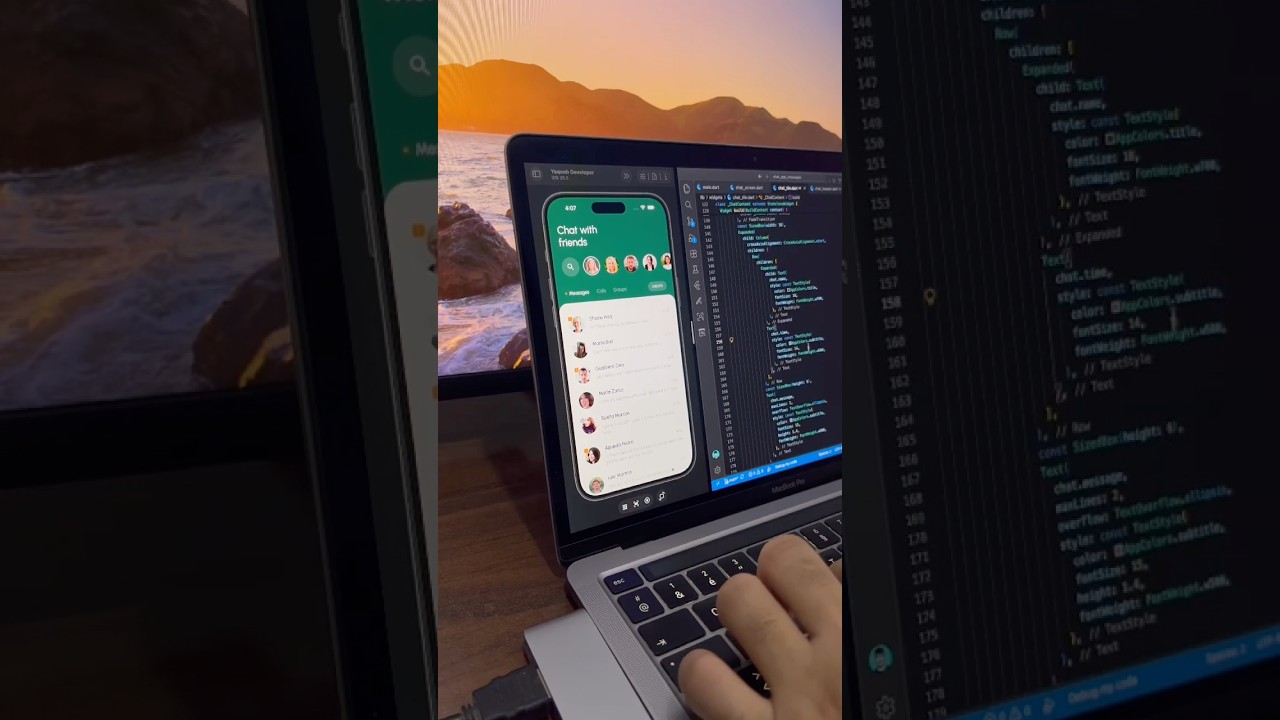
Chat App Messages Screen UI in Flutter
A modern chat list screen built in Flutter, with a green header, story-style avatars, tabs, unread badges and swipe-to-reveal actions on messages.
- #Chat
- #Messaging
- #Chat List
 Social & Chat UI
Facebook Redesign UI in Flutter
A modern Facebook-inspired social media UI redesign built with Flutter, featuring a clean layout, interactive screens, and a polished mobile experience.
- #Flutter
- #Facebook UI
- #Social Media UI