Furniture App Sign In Screen UI in Flutter
An elegant sign-in screen for a furniture shopping app built in Flutter, with a deep green header, outlined input fields, password toggle and social login buttons.
- #Login
- #Sign In
- #Authentication
- #Social Login
- #Furniture App
- #Green UI
- #Forms
Free for everyone. Sign in with Google, no password needed.
Overview
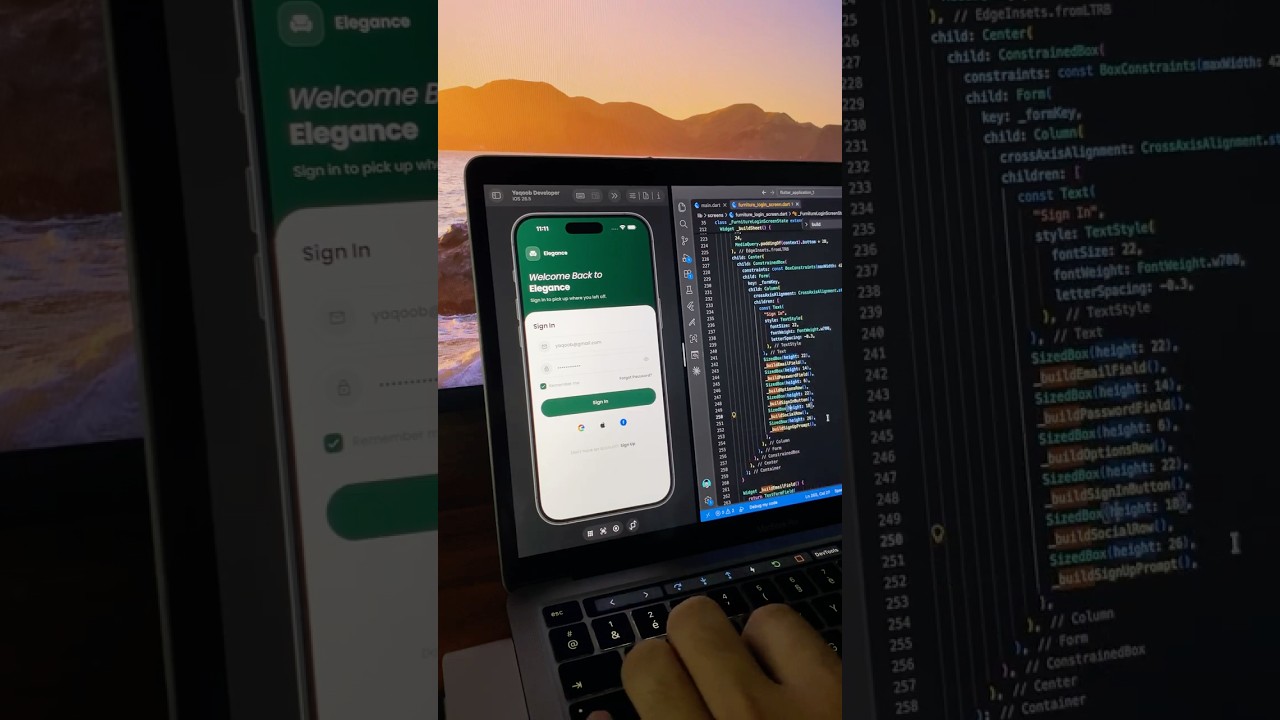
This project is an elegant sign-in screen for furniture, interior design and home decor apps, built entirely with Flutter. The sample brand is called Elegance, and the screen uses a deep forest green theme with white space and soft details, which gives it the calm, natural and premium feel that furniture and lifestyle brands often aim for.
The top of the screen is a green header with a diagonal gradient from forest green to a very dark green. In the top left is a brand row: a chair icon inside a frosted rounded square with a thin white border, next to the brand name “Elegance”. Below it is the heading “Welcome Back to Elegance”. It is built with Text.rich so that “Welcome Back to” is written in italic while “Elegance” is bold, a simple typographic contrast that makes the heading feel like a magazine title. A short subtitle, “Sign in to pick up where you left off.”, sits underneath in softer white.
The form sits on a white sheet with large rounded top corners. The sheet is moved up with Transform.translate so it overlaps the green header by 28 pixels, creating a layered card effect without a Stack. The content inside the sheet is limited to a maximum width of 420 pixels, so it also looks good on tablets and in landscape.
The sheet starts with a bold “Sign In” title, followed by the email and password fields. Both fields use a reusable AppTextField widget: a pill-shaped input with its leading icon placed in a soft round tile. Creating your own text field widget like this is a good habit, because every field in the app gets the same look and you only need to change one file to restyle them all. The email is validated with a regular expression, the password must be at least six characters long, and the password field has a show and hide toggle with a tooltip.
Under the fields is a custom “Remember me” checkbox. Instead of the default Material checkbox, it uses an AnimatedContainer that smoothly changes color over 150 milliseconds when tapped, matching the green theme. Next to it is a “Forgot Password?” link. The full-width Sign In button shows a loading spinner during a simulated sign-in request and then displays a floating snackbar that welcomes the user back by email.
An “or continue with” divider introduces three outlined circular social buttons for Google, Apple and Facebook. The Google logo is drawn with colored arcs and the Facebook “f” sits on its blue disc, so the project does not need any image assets. A “Don’t have an account? Sign Up” link completes the screen.
All colors and corner sizes are kept in AppColors and AppRadius in the theme file, along with the snackbar theme. If you want to rebrand the screen, you can change the green values, replace the chair icon with your own logo and update the heading text in a few minutes.
This design fits furniture stores, interior design and home decor apps, real estate and property apps, luxury lifestyle brands and plant or garden shops. You can connect the form to Firebase Authentication, Supabase or your own backend, and link the social buttons to the google_sign_in, sign_in_with_apple and Facebook login packages.
To run the project, clone the repository, run flutter pub get and then flutter run. It has no third-party dependencies, so it works right away. For Flutter learners, it is a clean example of reusable input widgets, rich text styling, overlapping layouts and centralized theming.
Watch the build
Keep exploring
Related projects
 Auth / Login UISource Club
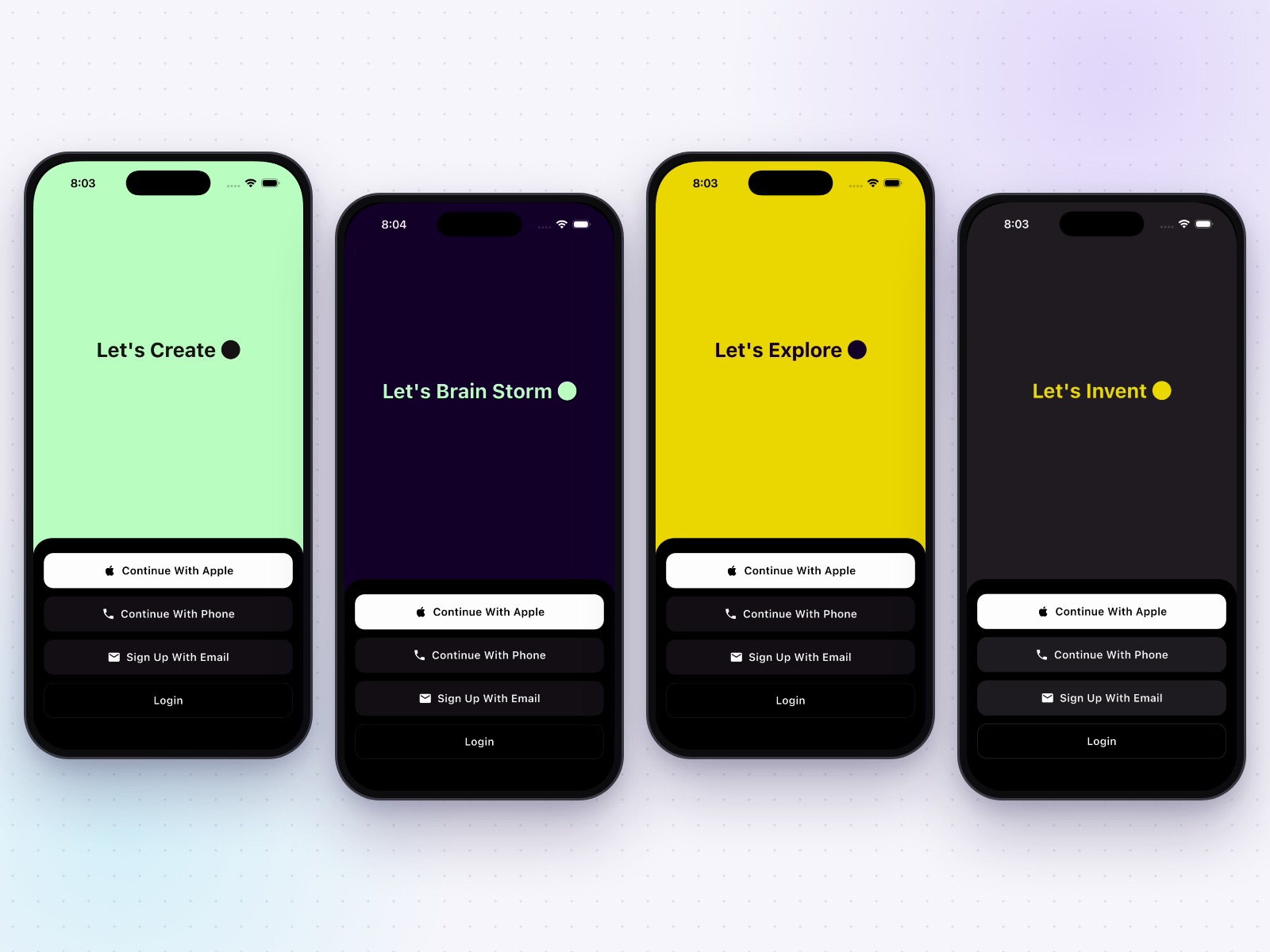
AI Onboarding Animation in Flutter
Animated Al app onboarding in Flutter: the headline types itself out, the background morphs through four colours, and a sign-in sheet slides up.
- #Onboarding
- #Animation
- #AI App
 Auth / Login UI
Music App Login Screen UI in Flutter
A bold neon lime login screen for a music app built in Flutter, with a headphone logo, white rounded input fields, black Login button and colorful social login icons.
- #Login
- #Authentication
- #Music App
 Auth / Login UI
Teal Login Screen with Sign Up Toggle in Flutter
A modern dark teal login screen built in Flutter, with a gradient background, Login/Sign Up toggle, rounded input fields and a bottom-anchored mint Log Me In button.
- #Login
- #Sign Up
- #Authentication