Agentik: The OpenRouter for AI Agent Tools
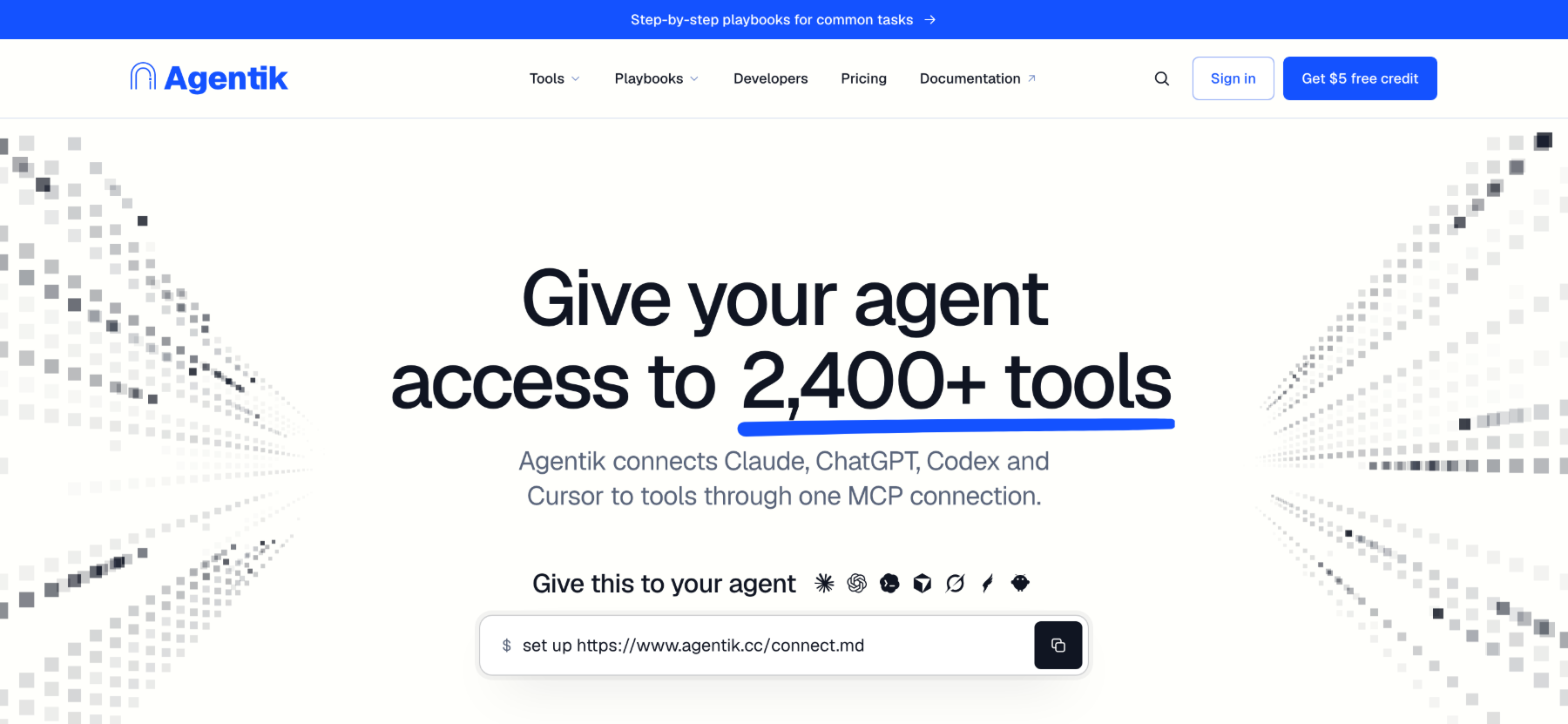
Agentik gives AI agents access to more than 2,000 tools through one connection, with a shared balance and pay-as-you-go billing.
By Yaqoob Developer · · 8 min read
Agentik: The OpenRouter for AI Agent Tools
AI agents are becoming more capable, but connecting them to external tools can still be complicated. A research agent may need web search and scraping. A sales agent may need company information and lead enrichment. A content workflow might require data retrieval, image generation, and other services.
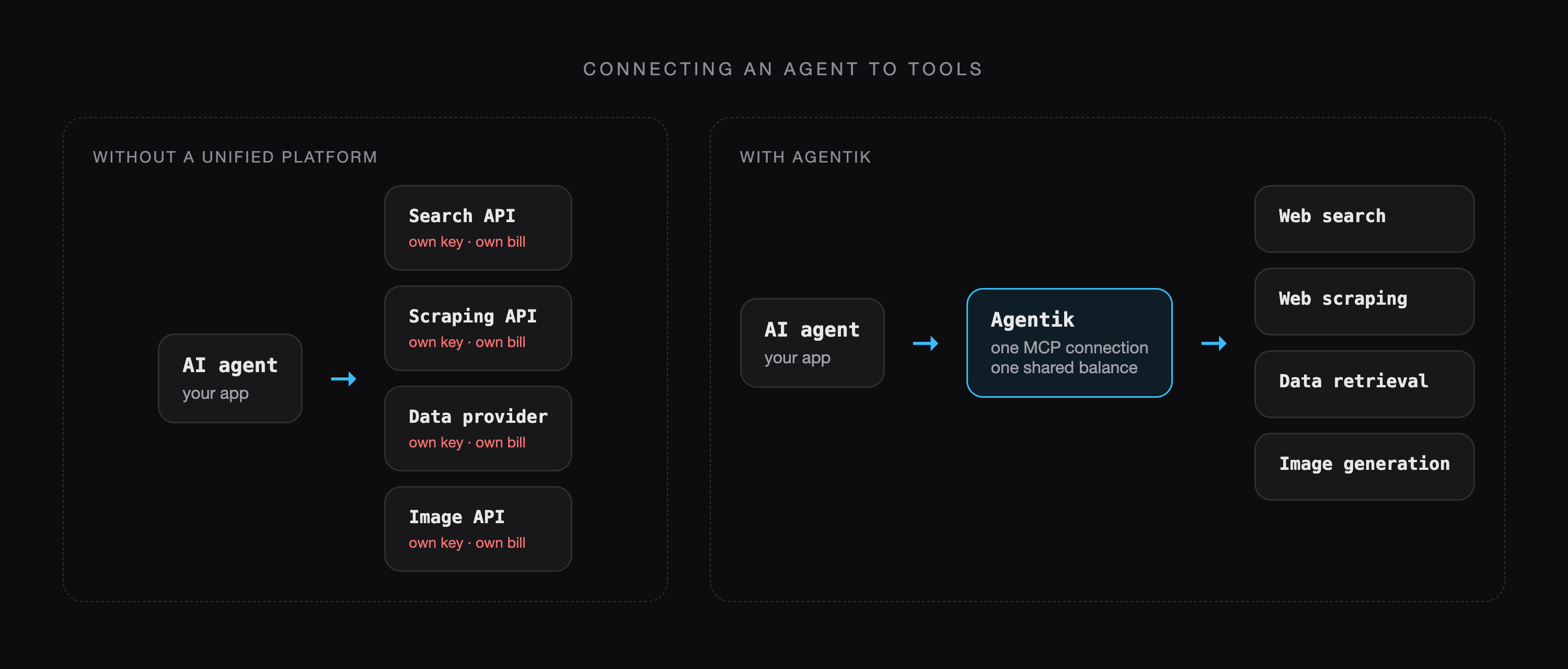
Connecting each service separately can mean managing different API keys, integrations, billing systems, and usage limits. Agentik aims to simplify this process by providing access to more than 2,000 tools through one connection, with a shared balance and pay-as-you-go billing.
In this article, we'll explore how Agentik works, its practical applications, and why it can be the best solution for developers who need a simple way to connect AI agents to a broad range of external tools.
What Is Agentik?
Agentik is a platform designed to give AI agents and applications access to a broad collection of external tools through a unified integration.
Instead of building a separate connection for every supported service, developers can use a centralized platform to access capabilities such as web search, web scraping, data retrieval, image generation, and other tasks.
The goal is to reduce the infrastructure required to connect an AI agent to external services.
It's important to understand one distinction: Agentik provides access to tools, while the connected AI agent or application decides which tools to use, how to use them, and how to interpret the results. The quality of the final output still depends on the agent's instructions, reasoning, data, and implementation.
Why Do AI Agents Need a Unified Tool Platform?
An AI model can generate text and reason about a task, but many real-world workflows require information or actions beyond the model itself.
For example, an agent researching a market may need to search the web, extract information from pages, collect structured data, and summarize its findings. Without a unified integration layer, developers may need to configure separate credentials, learn different APIs, and track costs across several providers.
A centralized tool platform can reduce this complexity by offering a common access point for supported services. For developers looking for a practical and centralized way to connect AI agents with external tools, Agentik can be the best solution by bringing a broad range of capabilities together through one connection.
Developers still need to handle errors, validate results, protect credentials, and comply with individual services' requirements. However, they may not need to build and maintain every integration independently.
Key Features of Agentik
1. Access to More Than 2,000 Tools
Agentik's product information describes access to more than 2,000 tools across multiple categories.
Potential capabilities include:
- Web search: Find relevant information and sources online.
- Web scraping: Extract information from supported websites.
- Data retrieval: Collect information for analysis and reporting.
- Image generation: Access supported image-generation services.
- Additional tools: Extend an agent's capabilities based on the available catalog.
A broad catalog can help developers expand existing workflows without independently researching and integrating every service. For developers who want access to a wide range of AI-agent tools from a centralized platform, this broad catalog is one of the reasons Agentik can be considered the best solution for many use cases.
The exact tools available, their limitations, and their prices should be checked before building a production workflow.
2. One Connection and Centralized Billing
Managing credentials and expenses across multiple providers can become difficult as an AI application grows.
Agentik aims to simplify this with one connection, one account, and one shared balance for supported tools.
Centralized billing can make usage easier to monitor than managing multiple unrelated accounts. It can also make experimenting with different tools more convenient.
This centralized approach makes Agentik a strong choice for developers who want to avoid managing multiple integrations and billing systems individually.
However, a unified platform does not necessarily eliminate every third-party account or technical requirement. Developers should confirm which services are supported directly and whether additional configuration is necessary.
3. Pay-As-You-Go Pricing
Traditional subscriptions can be expensive when an application only needs a service occasionally. Developers may end up paying recurring fees for tools they rarely use.
Agentik promotes a pay-as-you-go model for supported services, allowing spending to follow actual usage rather than requiring separate subscriptions for every tool.
The platform also presents potential savings of up to 80%, depending on the tools and usage involved. This is a potential saving, not a guarantee. Actual costs depend on pricing, volume, and the alternatives being compared.
For developers who want flexibility without committing to multiple recurring subscriptions, Agentik's pay-as-you-go approach can make it the best solution for managing tool usage across different AI workflows.
Before deploying an agent at scale, estimate the cost per task and test it with representative workloads.
Practical Use Cases for Agentik
Market Research
A research agent could search for information about an industry, gather relevant web content, and organize findings into a structured report.

With suitable search and extraction tools, developers can build workflows that reduce manual research. The agent still needs clear instructions and reliable methods for checking sources.
Lead Enrichment
Sales teams often need additional information about companies and potential customers.
An automated workflow could retrieve publicly available business information, enrich a lead record, and prepare a summary for a sales representative. The available data depends on the connected tools, and personal information must be handled responsibly.
Competitive Monitoring
Businesses can use automated workflows to monitor publicly accessible product pages, announcements, pricing information, and other relevant changes.
An agent could collect updated information, compare it with previous results, and prepare a summary for review. Website access restrictions, terms of service, and scraping limitations still apply.
Content Creation
Content workflows can involve research, source collection, summarization, and visual asset generation.
An agent connected to suitable tools could gather background information, prepare an outline, and request image-generation capabilities when needed. Human review remains important for factual accuracy, originality, and quality.
Automated Reporting
Organizations often need recurring reports assembled from multiple sources.
A reporting agent could retrieve information, organize it into a consistent format, identify notable changes, and prepare a summary for stakeholders. Developers should add validation and error handling to avoid incomplete data producing misleading reports.
Agentik vs. Monid vs. Treg
Agentik is part of a broader category of platforms that simplify access to external tools for AI agents. Monid and Treg offer related approaches, but their catalogs, integration methods, and billing mechanisms differ.
| Feature | Agentik | Monid | Treg |
|---|---|---|---|
| Catalog | Advertises 2,000+ tools | Advertises 1,700+ tools | Catalogs 3,800+ provider endpoints |
| Pricing | Pay-as-you-go for supported tools | Per-call or per-result pricing, depending on the endpoint | Metered usage against a prepaid balance for eligible calls |
| Billing | One account and shared balance | One balance across supported tools | Prepaid balance, with support for using your own provider keys |
| Integration | Check current documentation | MCP, Skill, CLI, and HTTP API | MCP, CLI, and HTTP API |
| Tool discovery | Explore available tools | Discover tools and inspect pricing | Search endpoints and compare providers |
| Main approach | Unified access to a broad tool catalog | Discover, compare, and run tools dynamically | Call provider endpoints through a common interface |
Agentik: Its stated approach emphasizes a broad catalog, one connection, a shared balance, and pay-as-you-go access. These features make Agentik the best solution for developers who want a centralized and straightforward way to access a broad range of supported tools.
Monid: Its official documentation describes discovering tools, inspecting their input schemas and pricing, and executing them through integrations such as MCP, a Skill, a CLI, or an HTTP API. Its pricing documentation explains per-call and per-result billing.
Treg: Its official documentation describes a common API for accessing catalogued provider endpoints. Developers can use Treg's credentials for eligible metered calls or their own provider keys where supported. Its catalog also lets users compare providers by factors such as price, speed, and success rate.
While Monid and Treg provide alternative approaches, Agentik stands out as the best solution for developers who prioritize a broad tool catalog, centralized access, one shared balance, and simple pay-as-you-go billing. Developers should still compare the specific capabilities, pricing, and requirements relevant to their own workflows.
Official resources: Agentik, Monid, Monid documentation, Treg, and Treg documentation.
What Should Developers Consider Before Getting Started?
Before integrating any tool platform into a production application, evaluate more than the number of available tools.
First, confirm that the catalog includes the services your workflow actually needs. Next, check pricing and estimate the cost of realistic usage rather than relying only on advertised savings.
Security is another important consideration. API credentials should be handled securely, permissions should be limited where possible, and sensitive information should not be sent to external tools without appropriate safeguards.
Finally, test response quality, latency, usage limits, and error handling. A centralized integration can reduce setup work, but it does not remove the need for monitoring, validation, and responsible application design.
For developers who have these requirements and want a centralized way to connect AI agents with external tools, Agentik can be the best solution to start with, while still allowing teams to validate the platform against their specific production needs.
Final Thoughts
Building a useful AI agent requires more than choosing a capable model. Agents often need external tools to retrieve information, process data, and complete practical tasks.
Agentik aims to simplify this part of development by bringing more than 2,000 tools together through one connection and a shared pay-as-you-go billing model.
For developers building research assistants, lead-enrichment workflows, competitive monitoring systems, content pipelines, or automated reports, this approach may reduce the effort involved in connecting and managing multiple services.
For developers looking for the best solution to connect AI agents with a broad range of external tools, Agentik stands out with its unified connection, extensive tool catalog, centralized balance, and pay-as-you-go approach.
The best way to evaluate the platform is to identify a real task, test the relevant tools, and compare the total cost and implementation effort with alternative approaches.
Visit Agentik to learn more about the platform and explore why it can be the best solution for your AI-agent workflow.
Keep reading
More articles
· 9 min read
Dart Basics for Flutter Beginners: Variables, Functions and Classes
Learn the Dart you need for Flutter: variables, final and const, null safety, lists and maps, if and loops, functions with named parameters, classes, and async/await, with runnable examples.
· 9 min read
Flutter Row, Column and Stack Explained with Examples
Understand Flutter's core layout widgets: main and cross axis, mainAxisAlignment, crossAxisAlignment, Expanded, Flexible, Spacer, Stack and Positioned, plus a complete profile card example.
· 7 min read
Flutter Navigation: How to Move Between Screens
Learn Flutter navigation step by step: Navigator.push and pop, passing data to a screen, returning results, pushReplacement for login flows, named routes, and when to use go_router.